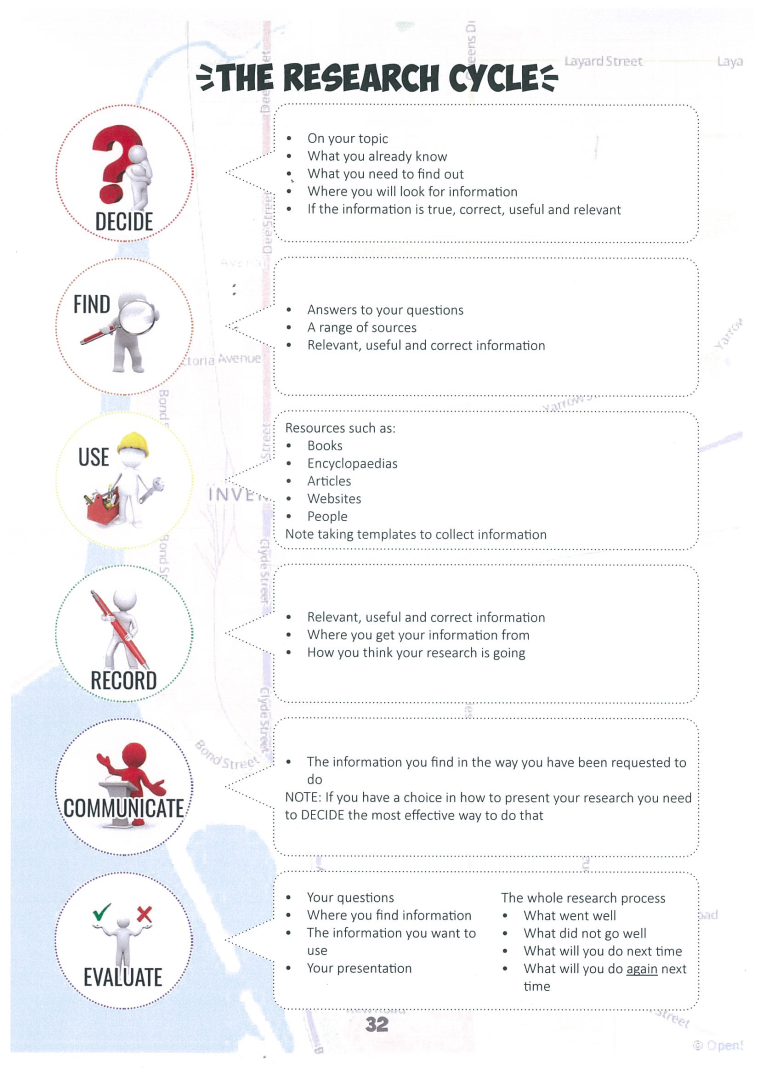
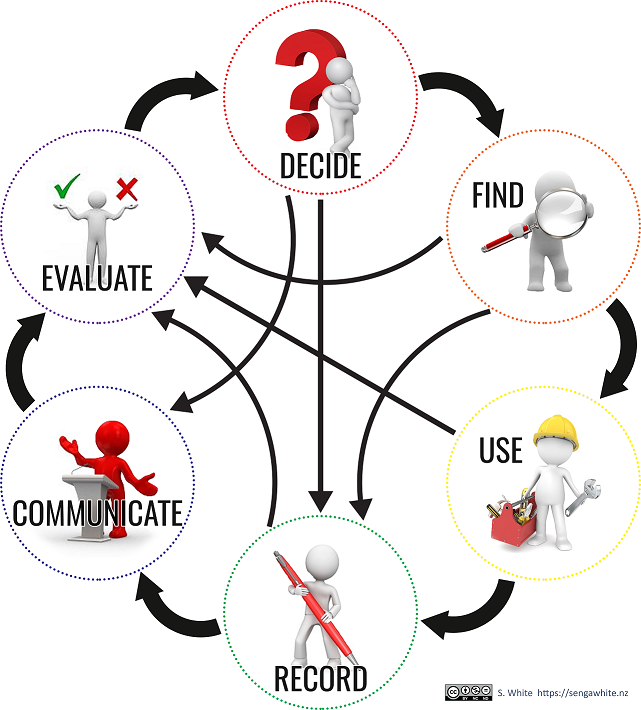
Researching is not a linear process you will find yourself taking 2 steps forward and 1 step back. This is important as it helps to clarify your keywords and identify which information is relevant and what can be discarded. Excellence is achieved by using resources which are hard to find. Using Epic databases is a good pathway to achieving this.
Check back in with your topic question and teacher to make sure that you are not getting distracted. Get clear on what you are looking for.
Make sure to head over to the digital literacy page for tips about online searching.
How do I create a reference list?
There are thousands of different referencing styles. Our school does not have one set method. Different subjects have different expectations, so always ask your teacher what they expect. If in doubt APA is a good style to use.
At a minimum, you will need: who wrote it, when they wrote it, and where you got it from.
Eg. Author, date, Source (Title of book, URL of website etc) Your teacher needs to be able to find the original information.
There are many apps to help with referencing. You can do your bibliography directly in Word (See video) or use external website or software. These save you time and help you be more accurate.
RefMe: www.refme.com If you would like a site to hold you references
The University of Auckland has this cite generator for many different reference styles
http://www.cite.auckland.ac.nz/2.html
Examples of APA style references.
Always have your list in alphabetical order.
If there is a type of material you don't know how to reference? The ultimate guide if you are lost is http://www.apastyle.org/
but here are some common examples
Book
Author, A. (Year of Publication). Title of work. Publisher City, State: Publisher.
Websites or images from a website
Author, A. (date). Title of document [Format description]. Retrieved from http://URL
Video (eg. YouTube)
Author, A. A. [Screen name]. (year, month day). Title of video [Video file]. Retrieved from http://xxxxx
Apsolon, M. [markapsolon]. (2011, September 9). Real ghost girl caught on Video Tape 14 [Video file]. Retrieved from http://www.youtube.com/watch?v=6nyGCbxD848
See below a video on how to reference using Word.